
BezelDock
The Dock,
the way you want it.
A Dock and an app switcher for your Mac, in an app of its own. Keep the Dock you know and change what annoys you, or make it a Windows taskbar. One payment, no subscription.
US$24.99, one time









What it does
- A Dock, or a taskbar
- Keep the Dock where it is and change what annoys you, or put a Windows 10 or Windows 11 taskbar across the bottom of the screen, with names beside the icons and a clock at the end.
- Windows go into it, and come back
- Minimize into the app's own icon rather than a pile at the end, with the genie, a scale, a swoop or a drop. A window that went away comes back where it was, even after a crash.
- Only what is open, if you like
- Show every app, or only the ones running, with the rest behind an arrow that opens when clicked and closes when left alone. Sort by what is open, at either end.
- Downloads and a launcher
- Downloads opens as a fan, a grid or a shelf, with the Finder menu on every file. Applications opens a launcher you can search, or the folder, whichever you set.
- Made to look like yours
- Glass, clearer glass, or a solid bar in a color you pick, held light or dark whatever the Mac is set to. Size, spacing, magnification, and the mark under an open app.
- It behaves like the real one
- Drag to reorder and the icons make room. Right-click for the app's own menu. Hold apps in it, take them out with a puff of smoke. The macOS Dock steps aside while it is on.
- The count on the icon
- Unread mail, new messages, whatever an app puts on its icon in the macOS Dock shows here too, in the red circle you know or a color and size you pick.
Switcher shapes
Eight ways to draw it
The switcher can be a row, a dial, a hand of cards, Cover Flow, and more. Try each one here: this is how it looks and moves on your Mac.
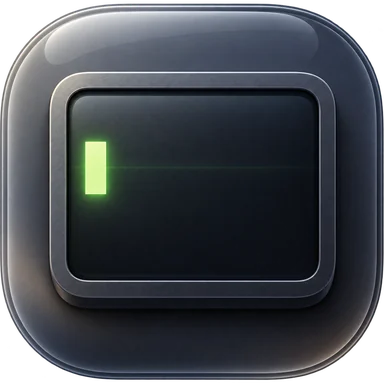

A dial that turns. Go past the last app and it keeps spinning round to the first.
Click an app or use the arrow keys. Rest the pointer near either end to turn the dial.
One Mac
One Mac
BezelDock is for the Mac it is on. Nothing crosses between Macs: no shared pointer, no shared clipboard, no pairing. If that is what you are after, BezelMouse is the one you want.
Already using uBar?
uBar has been the answer to this for years, and it is the one to beat. BezelDock is the newer take: macOS 26 glass, Windows 10 and Windows 11 layouts, windows that minimize into their own icon, and the Downloads shelf. Run it for 30 days beside what you have and keep whichever you prefer.
It is part of something bigger
BezelDock is the Dock out of BezelMouse, sold on its own. With more than one Mac, the same Dock can hold every Mac's apps at once: click an app and it opens over there, with one mouse and keyboard across all of them. See BezelMouse